config ntp windows server

config ntp windows server

รายชื่อ NTP Server ในไทย Name:    ntp.ku.ac.th Address:  158.108.212.149 Name:    fw.eng.ku.ac.th Address:  158.108.32.17 Name:    ilm.live.rmutt.ac.th Address:  203.158.118.3 Name:    time.uni.net.th Address:  202.28.18.72 Name:    itoml.live.rmutt.ac.th Address:  203.158.111.32 Address: 158.108.7.157 Address: 158.108.2.100   For those that still asking this question. To update, use the

How to Remote Computer by PowerShell Command

How to Remote Computer by PowerShell Command

PowerShell คือ โปรแกรม CLI ทางฝั่งของ Microsoft โดยออกแบบมาเพื่อรองรับการทำงาน System Admin ซึ่งหากจะเปรียบเทียบทางฝั่ง Linux จะคล้ายกับ SSH ซึ่งตัวโปรแกรม PowerShell จะมีอยู่ใน Windows 7, 8, 8.1 และ 10 และ Windows Servers ในที่นี้จะมาแนะนำการใช้งาน Remote Computer ด้วยการใช้ PowerShell Command โดยมีขั้นตอนดังต่อไปนี้ Enable PowerShell Remote ขั้นตอนนี้จะทำที่ฝั่งที่เป็น Target ทำการ Search หา

การเช็คสถานะอุปกรณ์ในห้อง Data Centre เบื้องต้น

การเช็คสถานะอุปกรณ์ในห้อง Data Centre เบื้องต้น

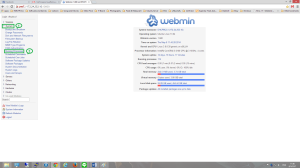
DHCP, DNS (Ubutu base) การเช็คสถานะ DHCP และ DNS นั้น สามารถทำได้ 2 วิธี คือ การใช้ Command ผ่าน SSH โดยใช้โปรแกรม Putty, Secure CRT หรือ KVM Overnetwork การใช้ Webmin ผ่าน Web Browser Terminal Command Promp Login เข้า Server DHCP, DNS โดยใช้ ID Password